
Overview
Automapki is a software development company based at Rue Saint Georges 97 in Ixelles, Brussels. It operates under the name AUTOMAPKI (By Wojciech STEFANIAK) and has delivered software engineering services in the CAD/GIS and embedded Linux domains since 2011, including advanced customization for AutoCAD, ZWCAD, and BricsCAD. The company reports 5,000+ customers across 100 countries and 10,000 converters running. Software is distributed with free evaluation periods followed by annual subscriptions, with 2Checkout handling payments. Autoconverter x64 version 2.2.7 was released on 30 October 2024 at $29.50. Autodesk, Bricsys, myLogic, and ZWSOFT are listed as partners. The company lists no open positions.
Stated facts & numbers
- Founded: 2011
- Headquarters: Brussels (Ixelles)
- Owner: Wojciech Stefaniak
- Products: Autoconverter, Automapki Application, Automesher Application, Autoshaper
- Platforms: AutoCAD, AutoCAD Map, BricsCAD, ZWCAD, Windows
- Customers: 5,000+ in 100 countries
- Partners: Autodesk, Bricsys, myLogic, ZWSOFT
In the news
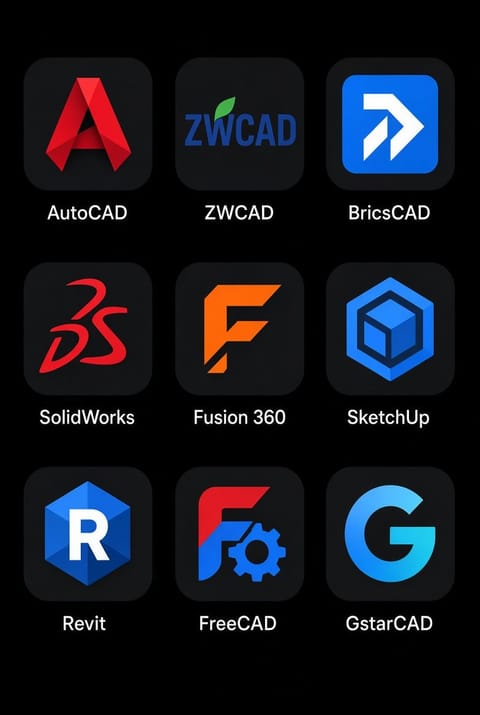
- Which CAD software do you use the most? #AutoCAD #Bricscad #ZWCAD #GstarCAD
- STL to SKP in ONE step. No more messy cleanup. ❎️ Broken geometry, wrong scale, hours wasted - sound familiar? 😩 🔧 Drop in STL to Autoconverter ⚡ Hit fix geometry and convert ✅ SketchUp file is ready to use Stop rebuilding models by hand! ❌️ #STL #SKP #SketchUp #3Dprinting #Autoconverter

- FBX to SKP in ONE step. No more Blender as a middleman. 💻 Spent two years manually rebuilding models before I found Autoconverter workflow. 😤➡️😌 🔧 Drop in FBX ⚡ Hit convert ✅ SketchUp-ready file, done Stop losing hours to broken imports. #CAD #SketchUp #3Ddesign #SKP #Autoconverter
- KML KNOWS WHERE TO GO. 🧭✨️Points. Paths. Polygons. Places. KML turns geographic data into something you can actually see - and Automapki Application brings that data straight into your AutoCAD workflow. 📍⚡ From maps to drawings, from coordinates to geometry - connect the geospatial world with AutoCAD. 🌍 KML 📐 AutoCAD 🔄 One workflow Your map has coordinates. Your CAD has the canvas. Put them together. 🚀 #KML #GIS #AutoCAD #CAD #Automapki

- FBX DOESN’T LIKE BEING TRAPPED 💻✨️Your 3D model shouldn’t be stuck in one format. 🧩🔓 Autoconverter lets FBX move freely between 30+ 3D formats - OBJ, STL, SKP, STEP, 3DM and more. ⚡ 🔄 Convert 📦 Batch process 💻 Skip the software shuffle FBX in. Your format out. No drama. 😎 #FBX #3DModeling #CAD #GameDev #Autoconverter

- OBJ FILES. MORE FORMATS. LESS FRICTION. ⚡Working with OBJ models and need to move them into another 3D format? 🔄 Autoconverter handles OBJ alongside 30+ 3D formats - including STL, FBX, SKP, STEP, 3DM and more. ✅ Convert OBJ files in batches ✅ Support for 30+ 3D formats ✅ No need for multiple CAD apps One converter. 30+ formats. Your workflow, simplified. 🚀 #OBJ #3DModeling #CAD #3DPrinting #Autoconverter

- Open & Convert SketchUp SKP Files ✨️💥 Got an old .SKP file? Need it in another 3D format? 🧩➡️🔄 Autoconverter reads & writes native SketchUp SKP files (SketchUp 3 → 2025) and converts them to OBJ, STL, FBX, STEP, 3DM & more. ✅ Upgrade or downgrade SKP versions ✅ Batch convert multiple files ✅ No SketchUp license One converter. Your entire 3D pipeline. ⚡ #SketchUp #SKP #3DModeling #CAD #Autoconverter

- CAD RIDDLE OF THE DAY 💻💥 SKP + DWG + FBX + OBJ walk into a bar. 🍻 The bartender says: “Sorry, we only accept one format.” Which file gets served? 👀 👇 Pick one before reading the comments.

Something wrong or missing? Send an update. Fixed within 24 hours.