
Overview
Peliqan offers AI-first ELT, transformations, and reverse ETL capabilities with 300+ connectors and a built-in Postgres + Trino data warehouse. The platform includes features for data syncs, AI SQL editor, Python IDE, Streamlit apps, and MCP server integration for AI agent access to data. It is SOC 2 certified.
Leadership & org chart


In the news
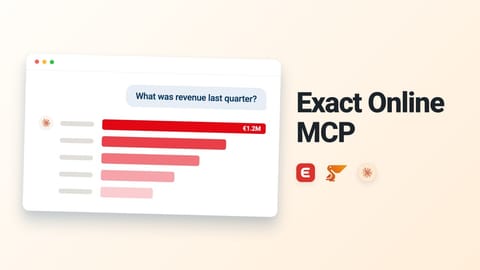
- Most Exact Online questions still start with an export. Which invoices are still open. What a project really cost. Which customers bought less than last year. This short video shows Exact Online connected to Claude through Peliqan MCP: → Connect your Exact Online administration in Peliqan → Turn on the Exact Online MCP server and add it to Claude, ChatGPT or Cursor → Ask in plain language about invoices, projects, customers and your books No exports, and nothing to install in Exact Online. And if your webshop or CRM is
- Welcome to the team, Kylian! Kylian Baeyens joins Peliqan as the Solution Engineer in our Belgian team. At Peliqan, Kylian will work directly with customers: scoping the use case, connecting their systems, and making sure the solution works in their day-to-day. "Every company is sitting on data that could power better decisions. I'm looking forward to helping customers unlock it, from first connection to working solutions." - Kylian Baeyens Great to have you on board, Kylian. Here's to building solutions our customers can rely

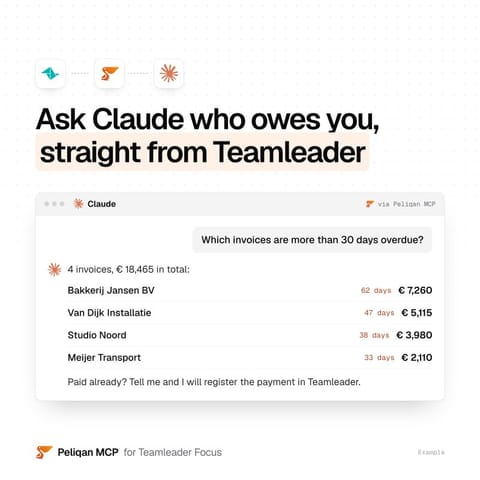
- Who still has to pay you? In Teamleader, finding out usually means opening the invoice list, filtering on due date and going through it customer by customer. With Peliqan MCP, you can ask Claude, ChatGPT or Copilot instead: → Which invoices are more than 30 days overdue? → Which quotations from last month are still open? → Which invoices from last month are still unpaid? The answers come from your own Teamleader data. No exports. And when you tell the AI a customer has paid, it can register the payment in Teamleader. Connecting
- Ask an AI assistant to build a dashboard, and the first thing it needs from you is your data. So you export a CSV, paste in the column names, and hope it gets the field names right. 💡 But in Peliqan, that part is already done. Your business systems are connected, so the AI assistant already knows your tables, columns and schemas. And it works on live, up-to-date data. You describe the app you want in plain English, and the AI writes the low-code Python next to you in the editor. What you can build this way: → A dashboard on

- I sometimes struggle to explain what we do at Peliqan. And tbh, we’re evolving (or should I say “having identity crises”) on a daily basis. Philip Könings explains it in a way I could not have said better. 👇 TLDR: “Peliqan might be the most underrated enterprise platform I know.” 🫶 #peliqan #data #ai #mcp
- If you sell on Bol.com, you probably know these three questions. Which orders shipped late last week. What is left after commission. Why products came back. Answering them usually means exporting data to a spreadsheet. This short video shows Bol.com connected to Claude through Peliqan MCP: → Connect your Bol.com account in Peliqan → Turn on the Bol.com MCP server and add it to Claude, ChatGPT or Cursor → Ask in plain language about orders, offers, shipments, returns, invoices and commissions No exports, no code and no API setup.

- Thank you to everyone who came to Peliqan Café Ghent last Thursday 🙏🏼 An afternoon of hands-on workshops, an evening of talks, and a room full of good conversations at iHub. A special thank you to our speakers. Simon Suys 🌳🏗 of Woema and Simon Scharlaken of Studio Scharlaken, thank you for showing what you built with Peliqan, in your own words. Hearing it from the people who run it every day is what makes an evening like this worth coming to. To everyone who joined, thank you for making it a good one. 📍 The next Peliqan Café is

- Welkom morgen om 18h op ons café - grauwpoort 1 Gent -> 2 interessante speakers vanuit de bouwsector -> Update van de Peliqan roadmap -> drinks & pizza -> meet our team (BE & IN)


Something wrong or missing? Send an update. Fixed within 24 hours.